CENTURISPOS · SUPERMARKETS & BARCODE RETAIL
Scan the basket. Complete the sale. Close the shift.
Windows and Linux checkout software for cashiers and store managers. Add products by barcode, record payments, and manage stock and shifts in English or Arabic.
For supermarket, grocery, and barcode retail teams
Windows 10 / 11 · Debian 12+ / Ubuntu 22.04+ · x64 · 30 days free
CenturisPOS
Watch the recorded product tour
A recorded walkthrough of the app, using sample records. Pause to inspect any screen.
- Scan and complete the sale
- Review the stock record
- Close the shift and count cash
BROWSER SAMPLE
Scan a basket. See where the numbers go.
A simplified checkout with fictional products. It runs only in this page and does not take payments or save business records.
Sample products
Basket
Scan a product to start the sale.
A working day, step by step
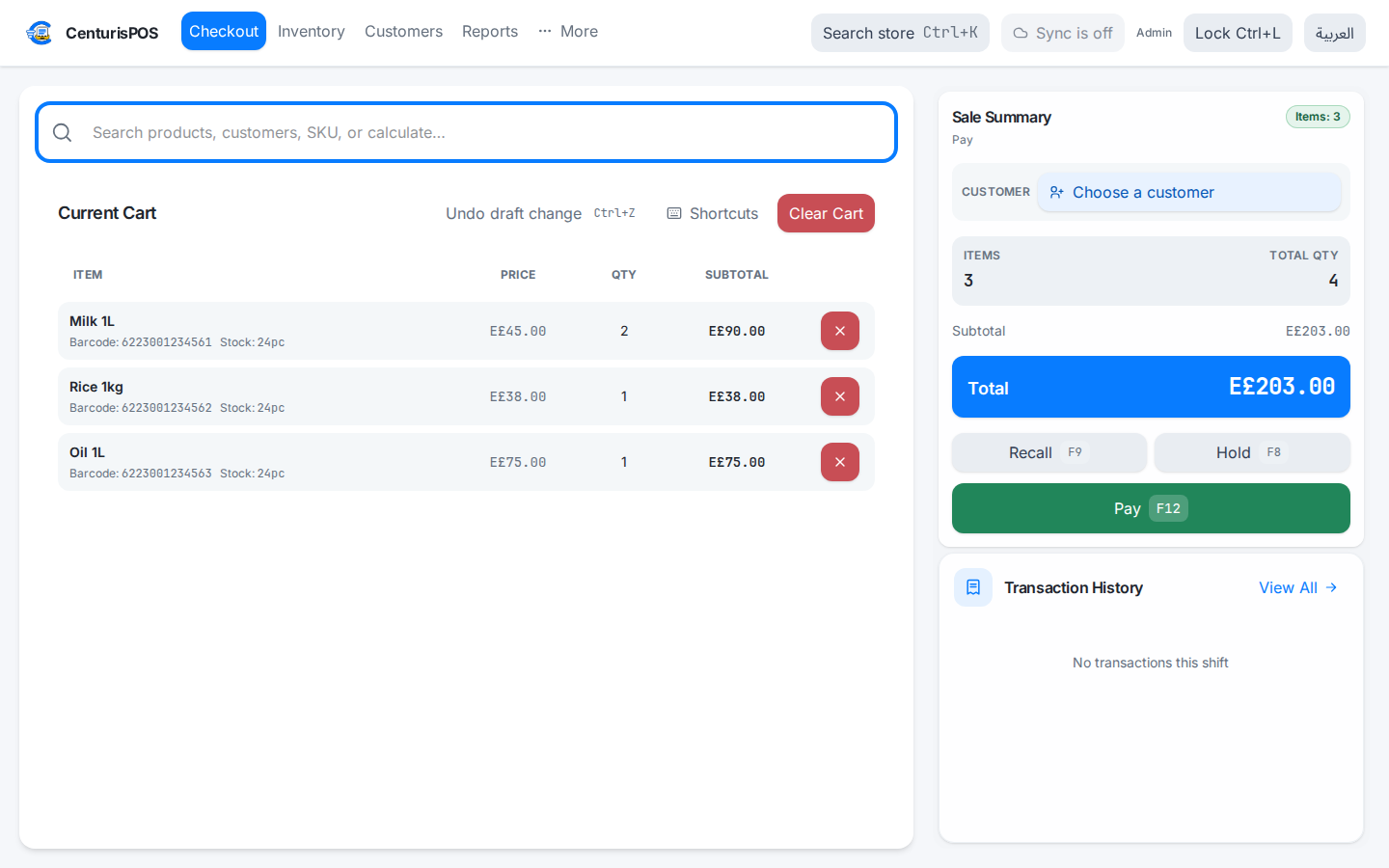
Scan and complete the sale
Keep items, quantities, and totals in one checkout screen. Open payment and record cash received and change.
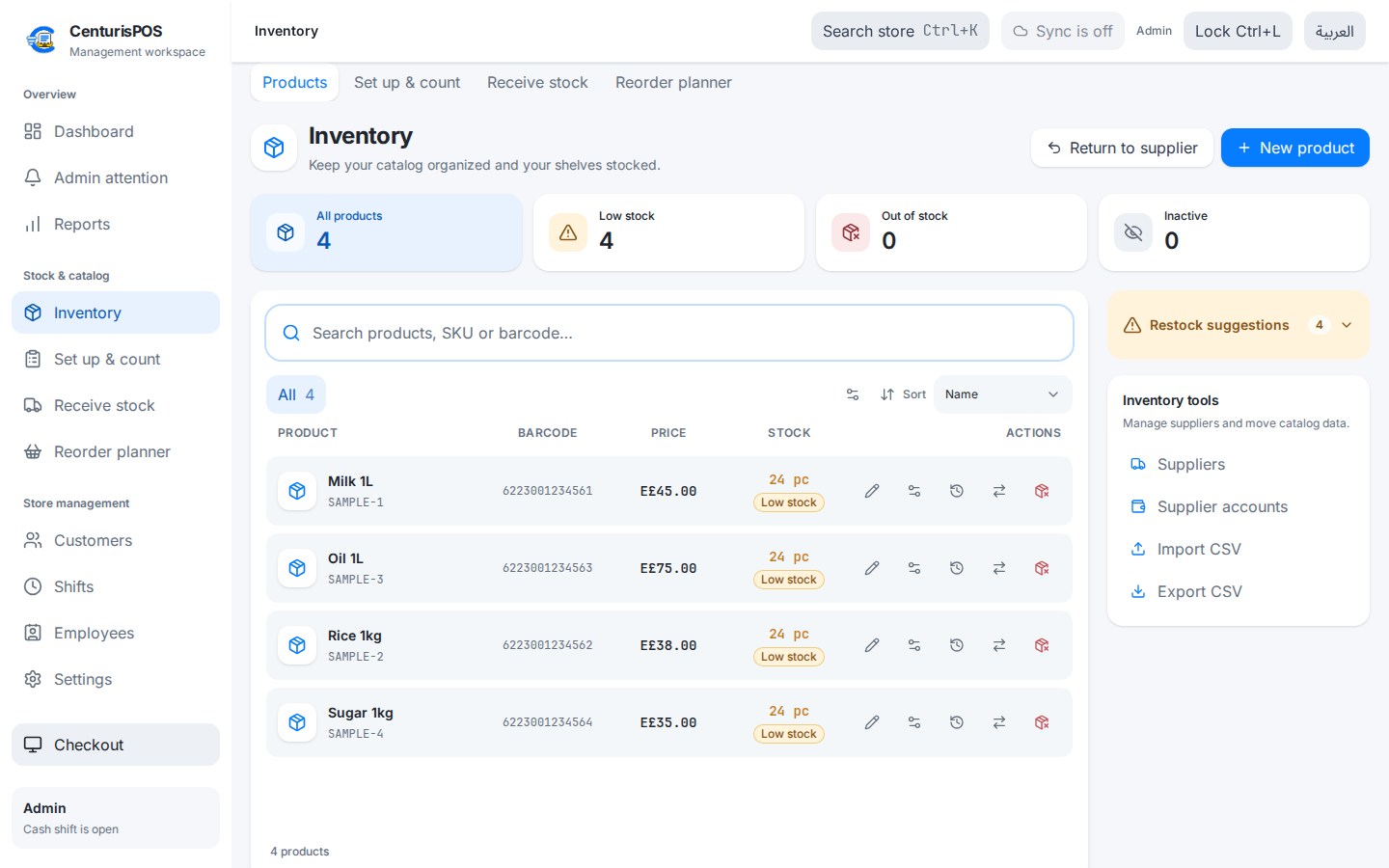
Review the stock record
Check product quantities and prices. Record supplier deliveries and use stock counts to review store balances.
Close the shift and count cash
Review expected cash, counted amounts, and differences. Each shift keeps its own record.
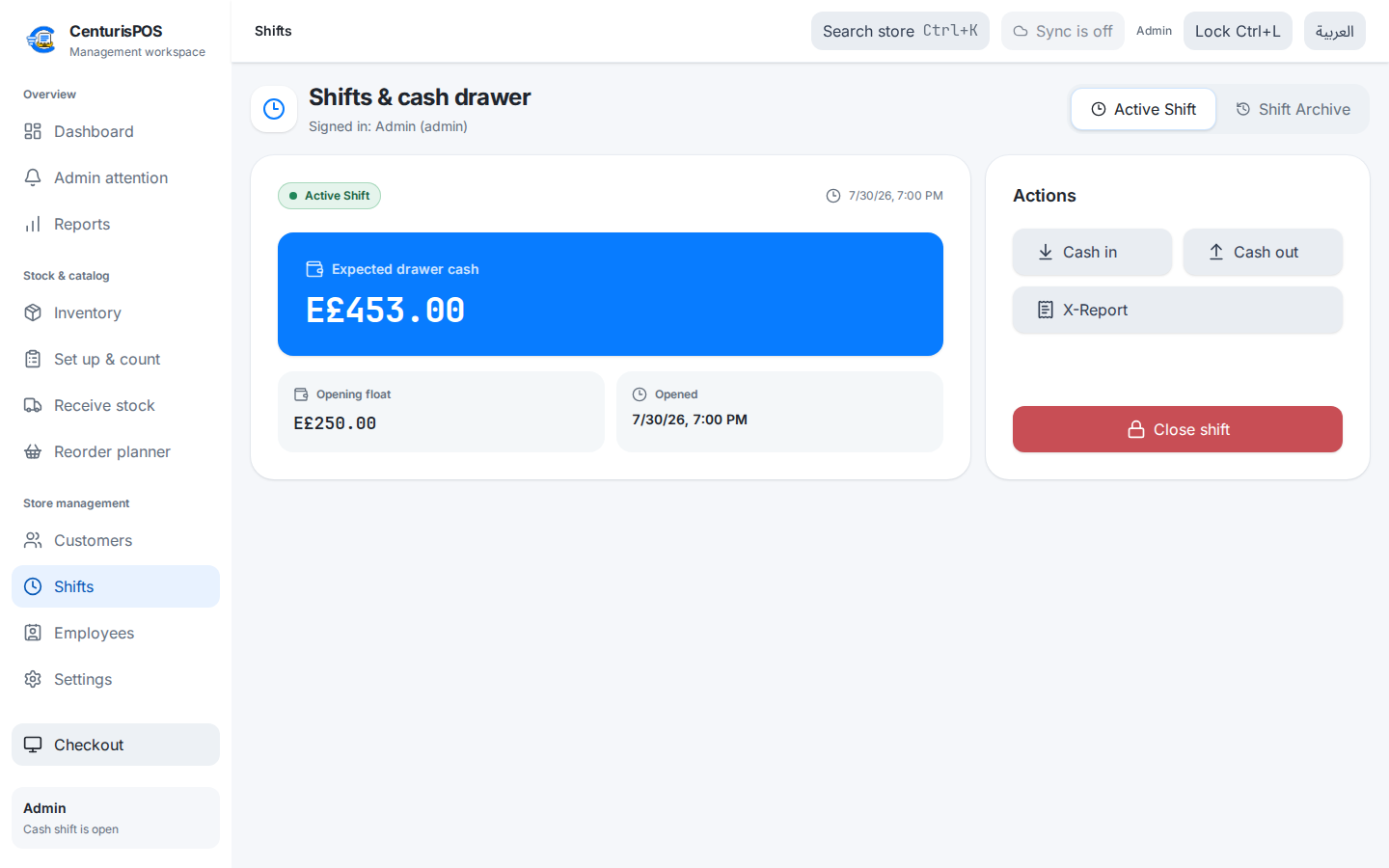
Release interface with fictional sample records. Recorded in a browser; native hardware is not shown.
For the counter and the store manager
Barcode and keyboard checkout
Scan a barcode or search for a product. Change quantities and open payment using keyboard shortcuts.
Payments and returns
Record cash, card, wallet, and credit payments. Review returns against the sale record.
Receiving and stock counts
Record supplier deliveries, count products, and review low or negative balances.
Shifts and cash
Record the opening float, close each shift, and compare expected cash with the amount counted.
Staff permissions
Set page and action access for each user. Staff records can exist without granting sign-in access.
Receipts and reports
Prepare English or Arabic receipts and review sales and stock activity from the management workspace.
Choose how your store runs
Start with a single register. Talk to us before connecting several checkout lanes.
Single computer
Checkout and stock records stay on that computer. Daily selling works without an internet connection.
Main computer + registers
Optional pilot in 1.4.0. Registers use a main computer on the store network. The main computer and network must stay reachable to complete sales.
This mode is still being tested. Confirm your register count, network, printers, and recovery plan with us before using it in a store.
CenturisPOS
Try it on the computer your team uses
Use your own products or attendance records during the 30-day trial. No card required.
On your phone? Open this page on your Windows or Linux computer, or ask us for setup help.
Choose your platform above. Current version, file sizes and checksums appear when release details are available.
- Version
- Released
Windows installer
Windows 10 / 11 · x64. Run the installer, then open CenturisPOS.
MB · x64
Installer SHA-256
Linux Debian package
Debian 12+ or Ubuntu 22.04+ · x64 desktop · systemd · WebKitGTK 4.1. ARM and other distributions are not included in this download.
MB · x64
Installer SHA-256
Download the Debian package. Open a terminal in your Downloads folder and install it with the command below, using the downloaded filename.
sudo apt install ./CenturisPOS_VERSION_amd64.deb For Linux updates, close CenturisPOS and install the latest package. Keep all registers in the store on the same version; your existing local records are retained.
Release packages and bundled store servers are signed and verified before publication. Linux updates use the Debian package. Windows installers do not yet have publisher signing (Authenticode).
See license terms and request pricingQuestions store owners ask.
Can I sell without internet?
Single-computer checkout uses its local records. The optional main-computer pilot does not need internet for sales, but does need the main computer and store network to stay reachable.
Can I connect multiple registers?
Release 1.4.0 includes an optional main-computer pilot. Send us your register count, network setup, and printer models so we can check the fit before setup.
Will my scanner and printer work?
The app supports keyboard-style barcode input and thermal receipt printing. Test your exact models during the trial, and contact us with the model numbers before purchasing.
Can I import my products?
Use CSV product import. Review barcodes, prices, and quantities after import and before starting sales.
How is it licensed?
A one-time license covers one computer and includes 12 months of updates. Contact us on WhatsApp for pricing and payment details. We accept US dollars and Egyptian pounds. Cloud subscriptions are not open for purchase yet.